ATM 프롬프트 아카이브 중 인기 프롬프트 : 일러스트 연출, 디오라마 프롬프트
요즘 ATM 에서 자주 쓰는 AI 프롬프트 중, 쓰레드에서 많은 구독자들에게 인기 있는 프롬프트 2가지를 예시와 함께 설명해 드리겠습니다.
AI로 콘텐츠 만들다 보면 느끼는 게 하나 있습니다.
바로 툴보다 중요한 건 결국 프롬프트의 방향과 일러스트 연출 감각이라는 것.
그래서 오늘은
ATM이 실제로 테스트하고,
결과물이 좋았던 3가지 타입의 프롬프트를 정리해서 공유해볼려고 합니다.
Gemini 바로가기 : https://gemini.google.com/
1️⃣ 일러스트 프롬프트
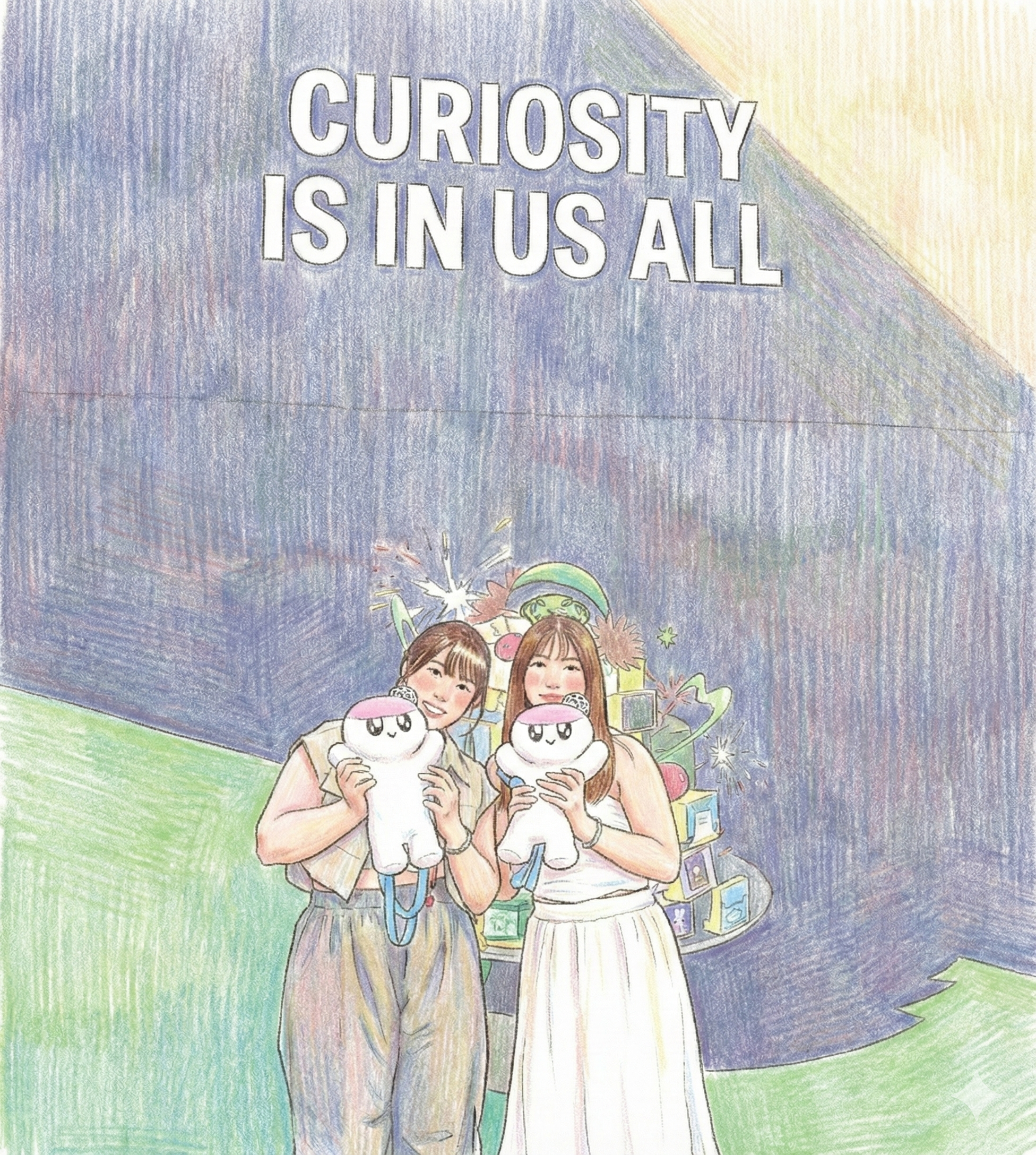
사진을 “손으로 그린 그림”처럼 바꾸고 싶을 때
첫 번째는 일러스트 전용 프롬프트 입니다.
이미지를 업로드한 뒤,
사진 느낌은 싹 빼고 색연필로 직접 그린 그림처럼 바꿔주는 설정입니다.
일러스트 연출을 통해 당신의 작품을 한층 더 돋보이게 할 수 있습니다.
-
깔끔한 라인 아트
-
연필 스트로크 질감 유지
-
파스텔 톤, 밝고 따뜻한 무드
-
리얼리즘 배제, 반카툰 비율
-
동화책·그림책 감성
프로필 이미지, 캐릭터 컷, 브랜드 스토리용 비주얼 만들 때
진짜 활용도가 높고, 많은 분들이 이런 감성적 연출로 수정하는 것을 좋아해 주시더라구요.
방법도 매우 간단합니다.
아래 ATM이 알려주는 프롬프트를 복사한뒤 Chat GPT나 Gemini로 가셔서
내가 수정하고 싶은 이미지를 올리면서 프롬프트를 기입하고 엔터 치면 끝!
아래 그림과 같이 하면 됩니다~~
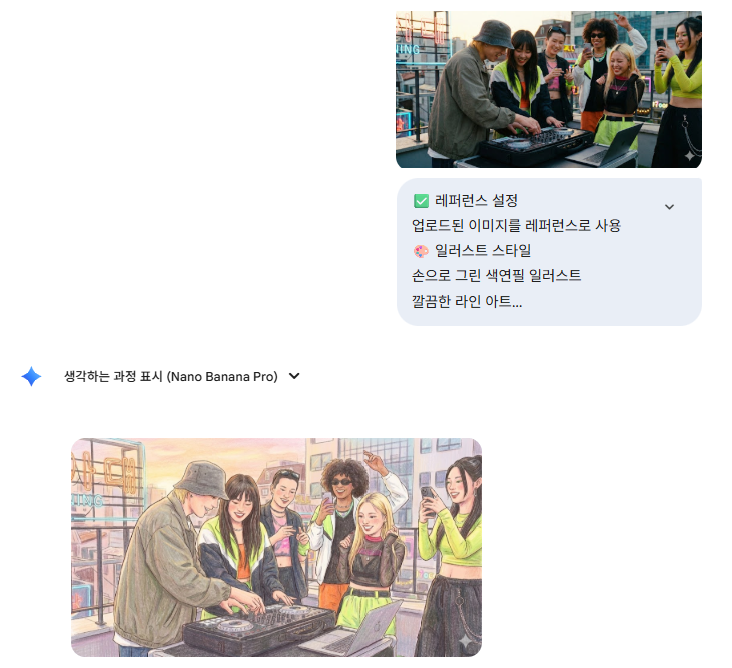
자세한 before / after 일러스트 효과 이미지를 확인해 보세요
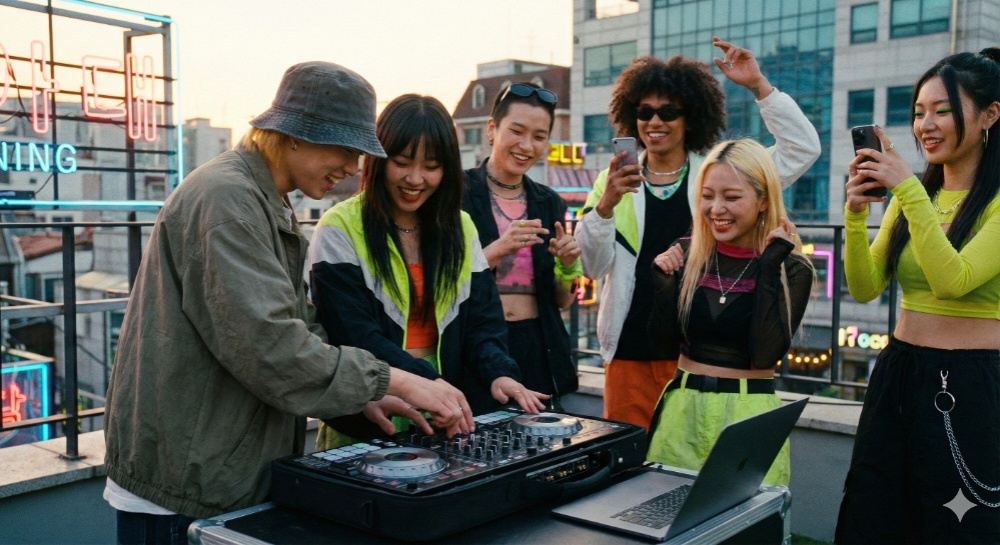
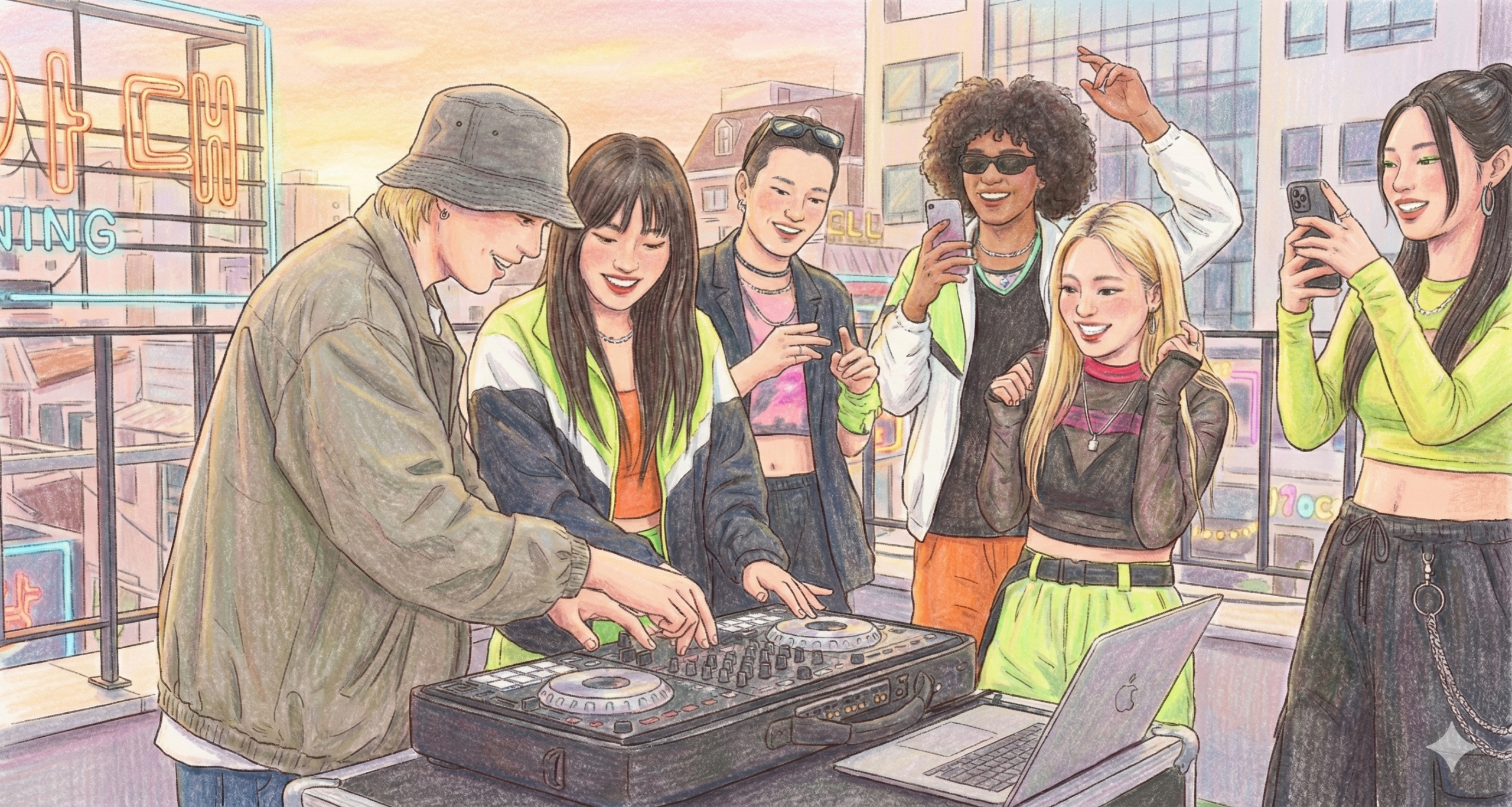
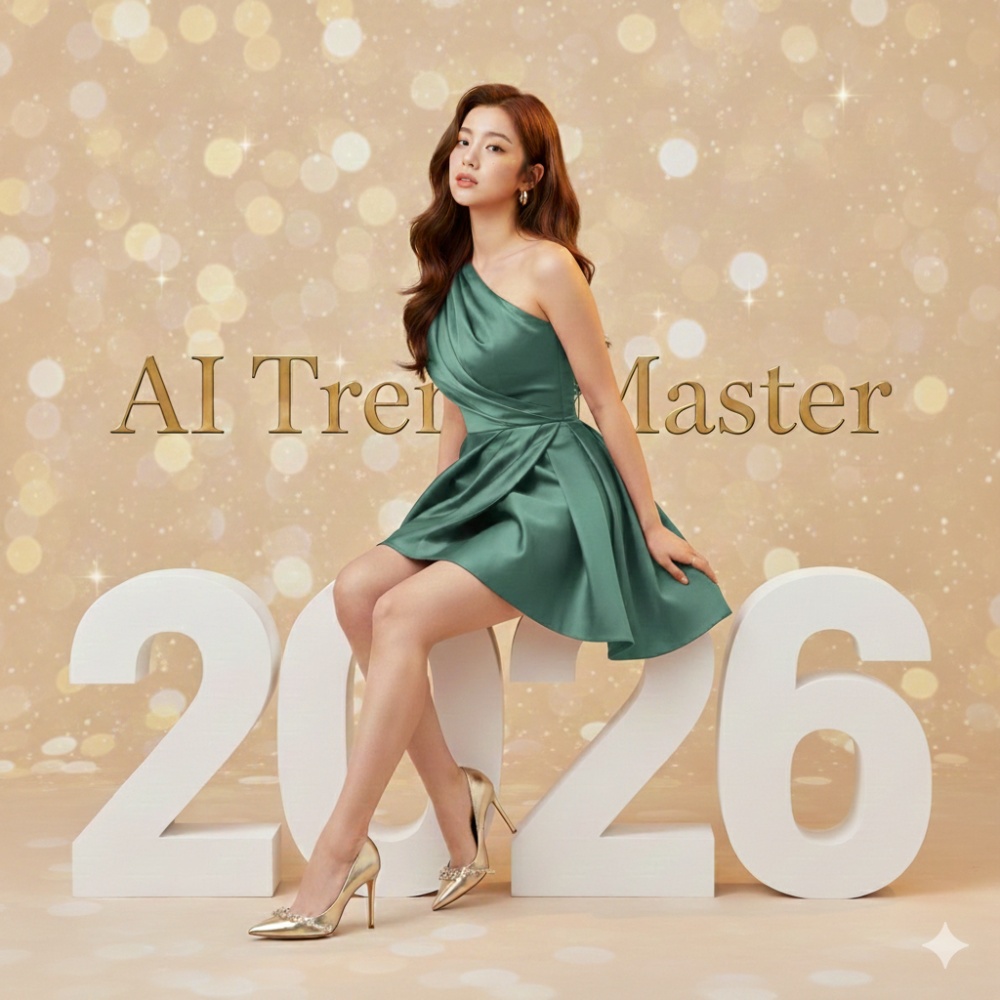
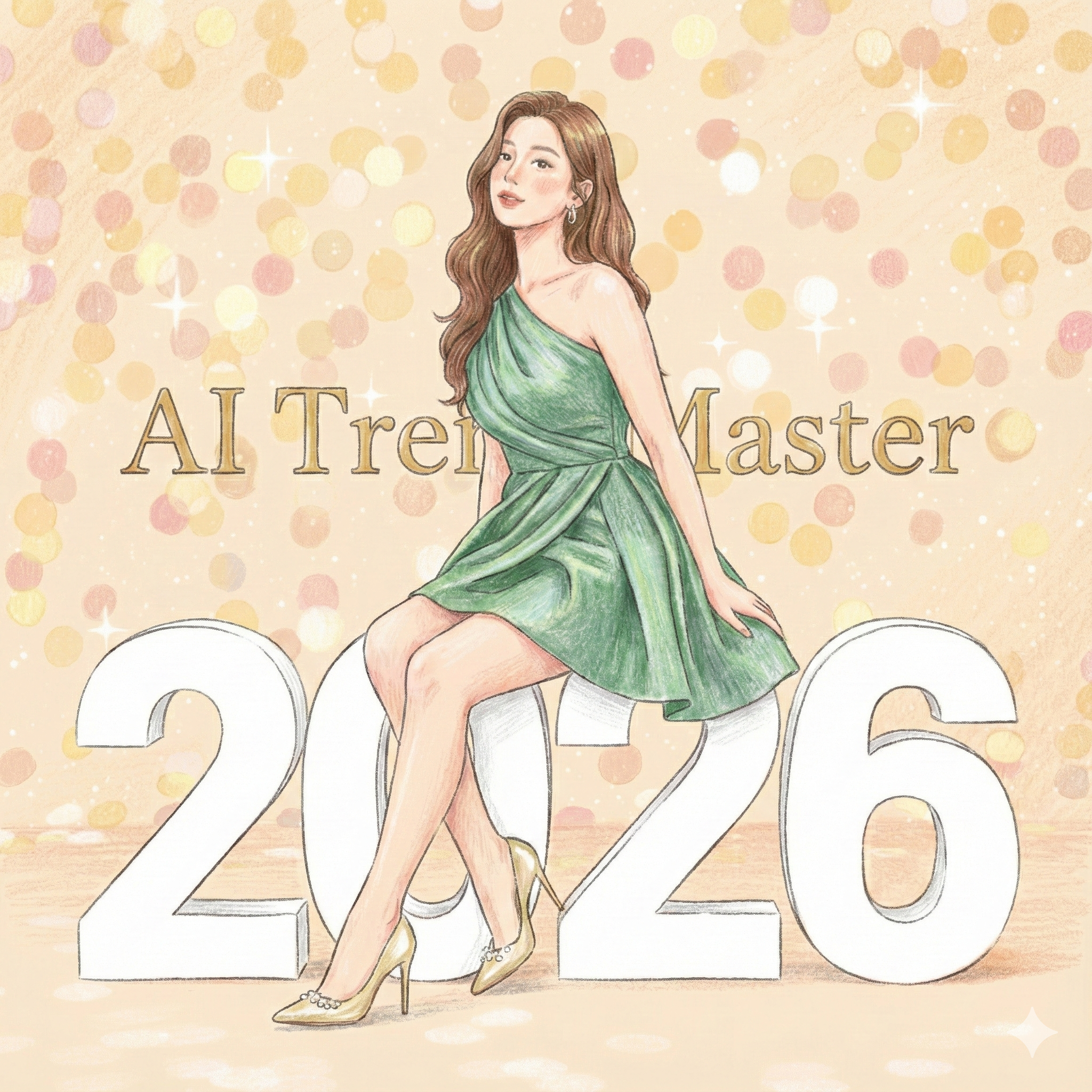
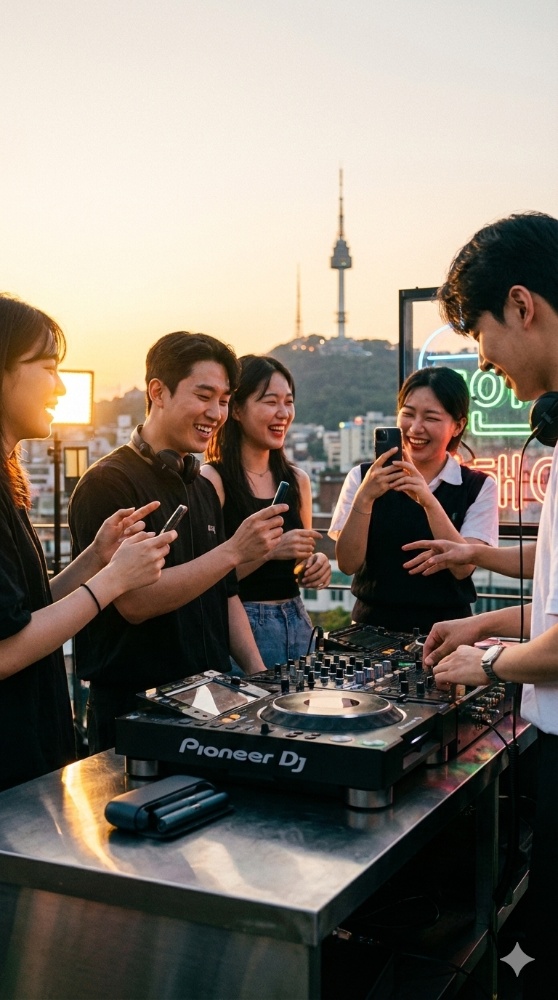
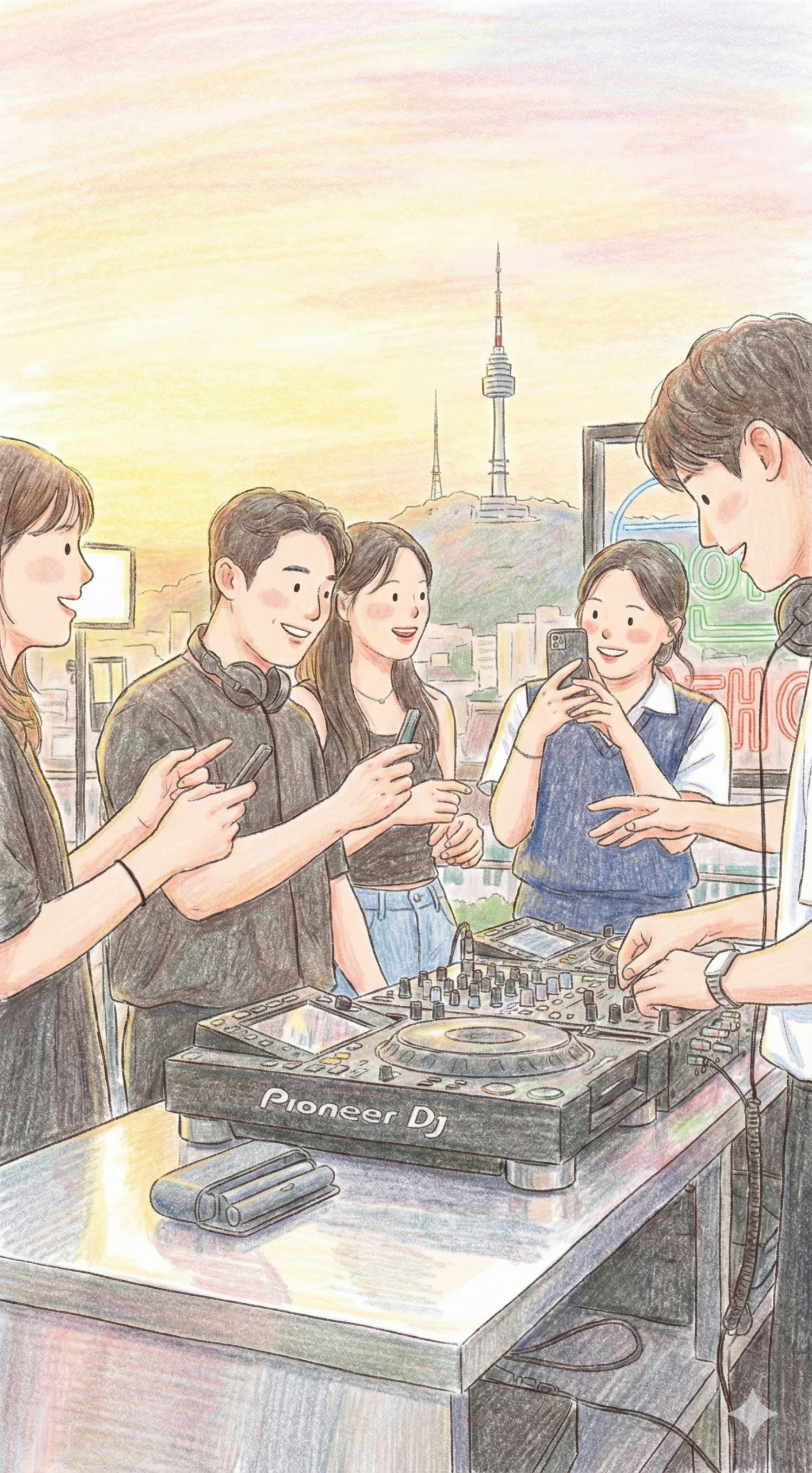
한글 프롬프트 예시
ATM 프롬프트
✅ 레퍼런스 설정 업로드된 이미지를 레퍼런스로 사용
🎨 일러스트 스타일 손으로 그린 색연필 일러스트 깔끔한 라인 아트 약간 거친 연필 외곽선 표현 연필 스트로크가 보이는 질감 사진 질감 사용 금지 사실적인 표현 배제 (no realism)
🌈 컬러 & 채색 부드러운 파스텔 컬러링 전체 밝기 강화 더 밝고 선명한 컬러 톤 채도는 높이되 자연스럽게 유지 플랫하지만 디테일이 살아 있는 채색 생동감 있으면서도 부드러운 컬러 팔레트
✏️ 명암 & 텍스처 부드러운 쉐이딩 은은한 명암 표현 연필 특유의 질감 유지 그림자는 최소화 소프트 하이라이트 적용
👤 비율 & 표현 방식 반(半)카툰 스타일의 현실적인 비율 과도한 디포메이션 없음 따뜻하고 친근한 표현 눈은 점으로 표현, 단순한 미소 및 단순한 얼굴 표정 표현
📖 분위기 & 무드 동화책 일러스트 느낌 어린이 그림책 스타일 라이프스타일 스케치 감성 아늑하고 밝은 분위기 따뜻하고 cheerful한 톤 스토리북 같은 감성
🔍 품질 설정 높은 선명도 (high clarity) 깨끗한 표현 평면적이지만 디테일은 풍부하게 유지
영어 프롬프트 예시
Prompt:
Use the uploaded image as reference.
Illustration style: hand-drawn colored pencil illustration, clean line art with slightly rough pencil outlines, soft pastel coloring with increased brightness,
lighter and more vivid color tones, enhanced saturation while staying natural, visible pencil strokes and gentle shading texture, warm and friendly tone, semi-cartoon realistic proportions,
flat yet detailed coloring, minimal shadows, soft highlights, storybook illustration feel, cozy and cheerful atmosphere, vibrant yet soft color palette, children book, lifestyle sketch style,
high clarity, no realism, no photo texture, simple facial features.
2️⃣ 미니어처 디오라마 + 애니메이션 프롬프트
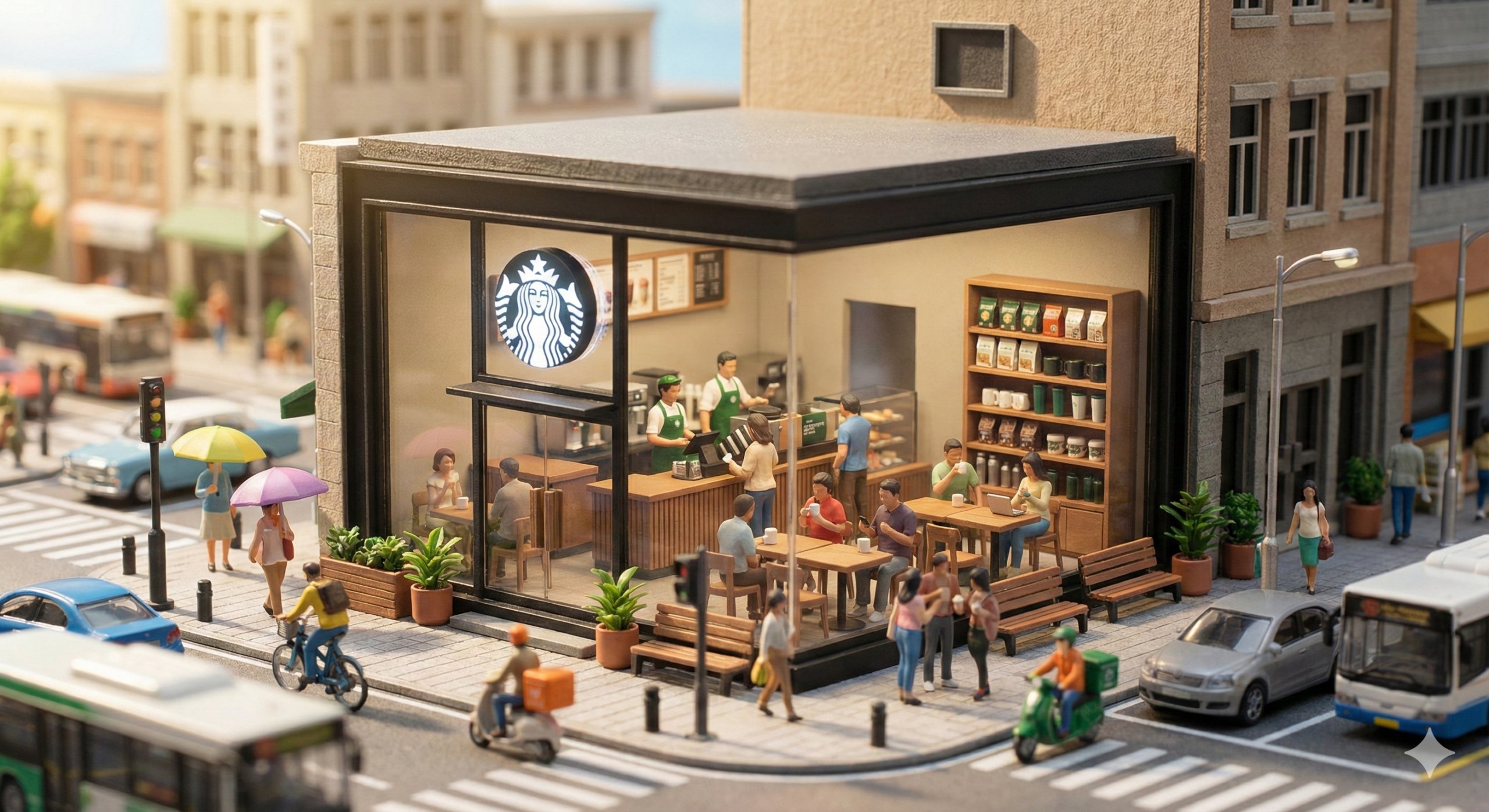
오늘 만든 AI 애니메이션이 너무 귀여워서 공유했는데, 많은 스레드 구독자들이 너무 좋아해준 프롬프트와 결과물 입니다. 😆
ATM이 만들고 보고 있으면
보다가 괜히 힐링돼서 계속 돌려보게 되는 이미지더라구요.
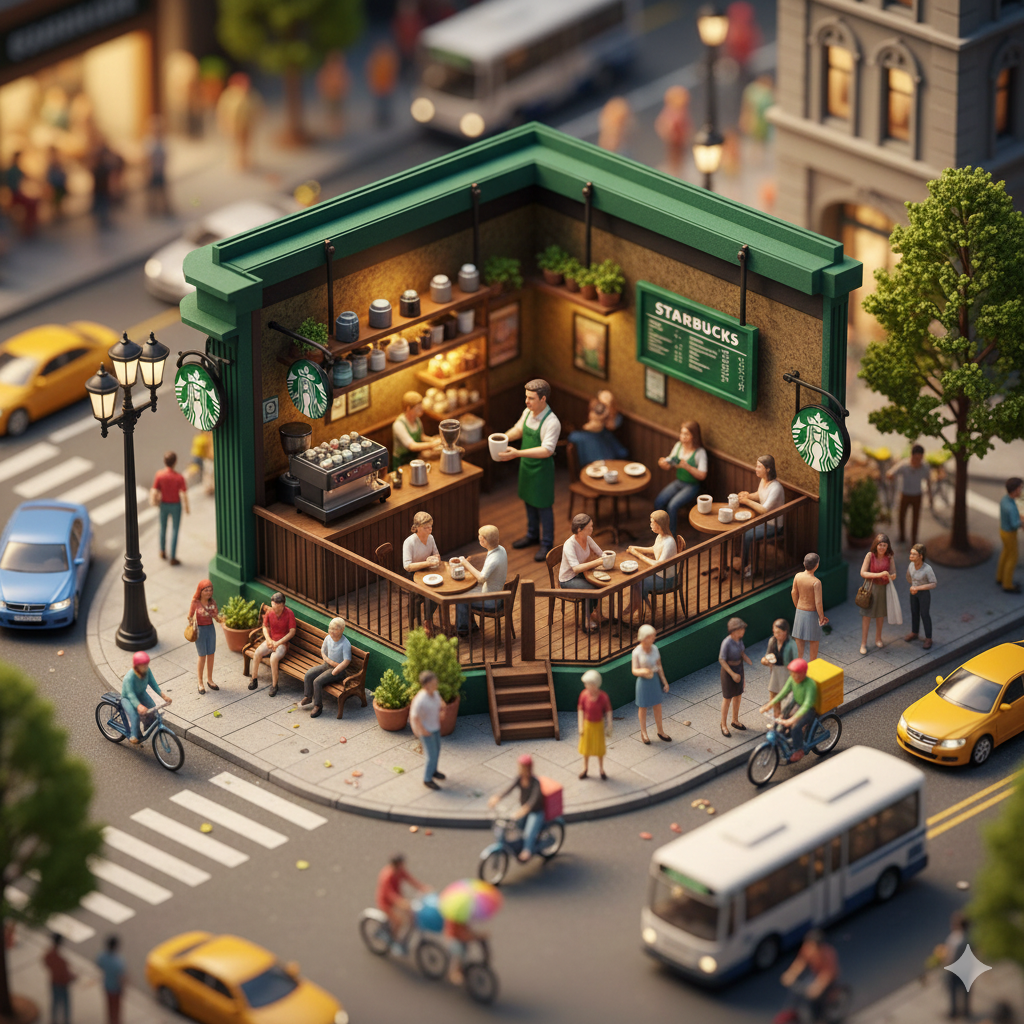
작은 애플스토어 하나를 중심으로
실제 도시처럼 움직이게 만든 미니어처 디오라마 스타일의 이미지 프롬프트 입니다.
자세한 이미지 생성 프롬프트는 아래 있습니다. 그리고 이미지를 만든 뒤 Grok 이나 Gemini에서 영상으로 Timelaspe 효과를 줘보세요. 굉장히 멋진 작품이 연출됩니다.
자세한 내용은 아래에 계속 소개해 드리겠습니다.
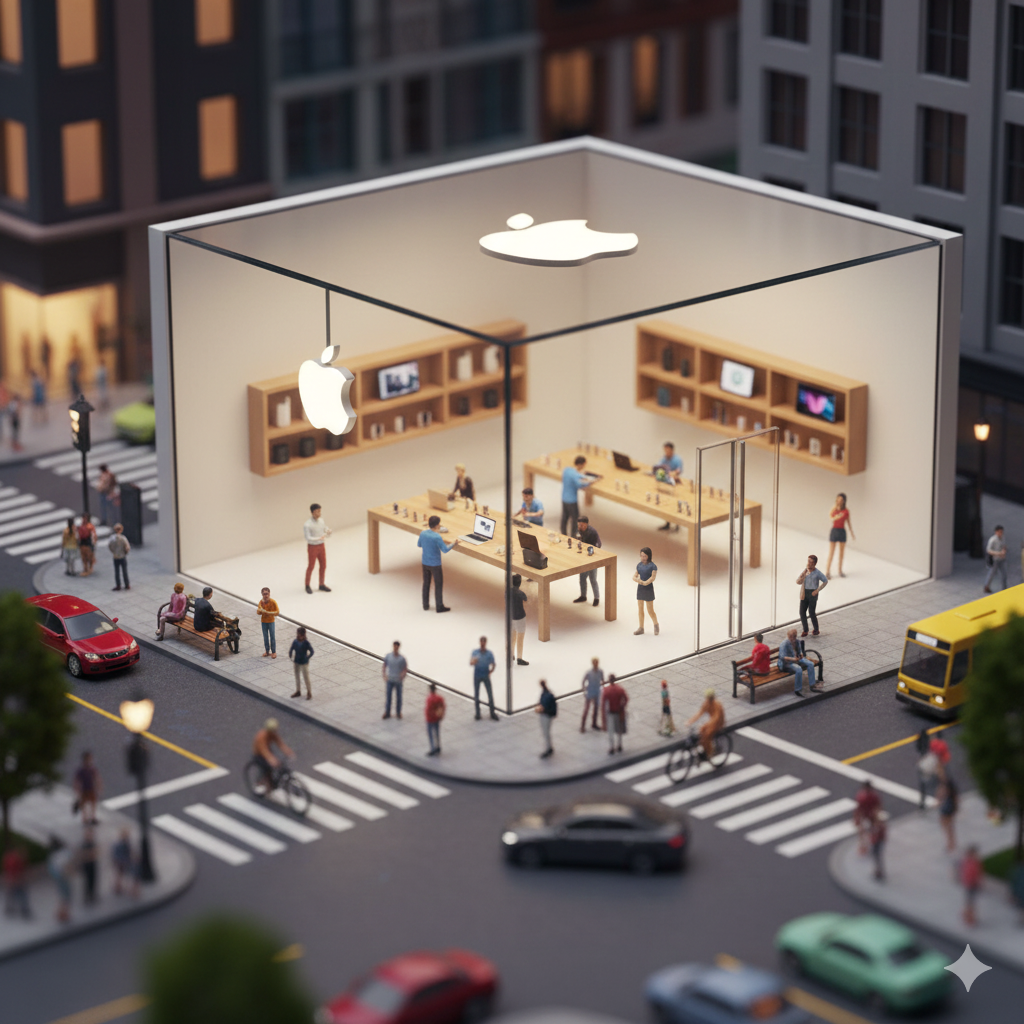
디오라마 프롬프트의 주요 장면 구성은
-
안에서는 미니어처 사람들이 아이폰 만져보고
-
밖에서는 자동차, 자전거, 보행자까지 움직이고
-
카메라는 느리고 영화처럼 흐르고
-
소리는 대사 없이 도시 앰비언스만 은은하게
-
전체 톤은 따뜻한 낮 조명 + 손으로 만든 미니어처 질감
딱 한 마디로
“장난감 세상 안으로 들어간 느낌” 으로 연출하는 것입니다.
영어 프롬프트 예시
Hyper-realistic miniature city diorama featuring a tiny Apple Store on a busy street corner; detailed minimalist glass exterior with glowing white Apple logo, open cutaway interior with miniature Genius Bar staff helping customers, people testing iPhones and MacBooks on wooden tables, customers browsing, sitting with devices; tiny display shelves with iPads, AirPods, watches and accessories all modeled in perfect small-scale realism; vibrant miniature pedestrians walking on sidewalks, tiny cyclists passing by, delivery couriers riding scooters, micro-sized cars and buses driving through the intersection; colorful umbrellas, benches, plants, street lamps and building façades all in detailed miniature style, bright clean textures, handcrafted diorama look; 8K macro realism
Camera Movement:
slow, smooth rotating orbit shot around the miniature Apple Store; cinematic controlled motion, like a macro dolly crane; slight parallax as the camera moves around the open cutaway interior; natural focus pulls between the store interior and the surrounding miniature streets; shallow depth of field emphasizing tiny scale
Animation / Actions:
miniature people walking, sitting, testing phones, swiping tablets, typing on laptops; Genius Bar staff demonstrating products, helping customers with repairs, unboxing new devices; tiny cyclists pedaling past; cars and scooters driving through the intersection; people crossing the street; leaves and tiny street details subtly moving for realism
Sound / Ambience (NO dialogue):
soft miniature city ambience; subtle crowd murmur without distinguishable voices (no dialogue); light car engine hums; bicycle wheel noises; scooter and motorcycle passing sounds; distant traffic, subtle horns; gentle street ambience mixed with faint tech store atmosphere (keyboard clicks, device notifications, packaging sounds)
Lighting / Style:
bright, warm daytime lighting; cinematic macro aesthetic; high saturation, crisp micro-details; realistic handcrafted miniature look, not toy-like; smooth motion, high framerate clarity
3️⃣ 이미지 → 영상화 워크플로우 AI 활용
Gemini + Grok 조합이 핵심이라고 보시면 됩니다.
이 프롬프트의 포인트는 워크플로우 입니다.
-
미니어처 디오라마 프롬프트를
Gemini에서 먼저 정제·추출 -
만들어진 이미지 그대로
Grok에 업로드 -
Timelapse / 시네마틱 모션 효과로 영상화
이렇게 하면
정적인 이미지가 아니라
완성도 높은 영상 콘텐츠로 바로 변환할수 있습니다.
https://grok.com/imagine/post/1b56e16d-6b71-4463-9bae-e3afc41ed310?source=post-page&platform=web
grok 바로가기: https://grok.com/imagine
혼자서도
기획 → 연출 → 영상화까지 가능한 구조라
콘텐츠 만드는 재미가 확 살아납니다.
그리고 매우 쉽습니다.
ATM의 경우 스레드에 올리는 이 모든 이미지 생성과 영상 만드는 과정을 오직 스마트폰!! 에서만 합니다.
그만큼 매우 간편하고, 용이한 프로세스라고 보시면 됩니다.
ATM 한 줄 정리
AI는 이제
“잘 그려준다” 수준이 아니라,
연출하고, 분위기 만들고, 세계관까지 구현하는 단계에 들어왔습니다.
이 프롬프트들은
그냥 예제가 아니라
계속 써먹을 수 있는 자산이기도 합니다.
앞으로도
ATM에서는
이렇게 실제로 써본 프롬프트와 프로세스를
계속 아카이빙해볼 생각이니 여러분들의 많은 관심과 방문 부탁드려요.
AITREND.KR News Letter